


Description
Product Overview
Aomei Partition Assistant Professional is a comprehensive disk management solution designed for users who need reliable, flexible, and secure partitioning capabilities. The product includes a universal activation key that works across all countries, allowing a single device to be activated instantly without the need for multiple licenses or complex registration processes. Built on a robust engine, the software supports a wide range of file systems, including NTFS, FAT32, exFAT, and EXT4, ensuring compatibility with both Windows and Linux environments. Its intuitive interface guides users through complex tasks such as resizing, merging, splitting, and formatting partitions, while preserving data integrity and minimizing downtime. The key is compatible with both desktop computers and laptops, making it an ideal choice for home users, small businesses, and professionals handling family genealogy records that often require large storage allocations and precise organization.
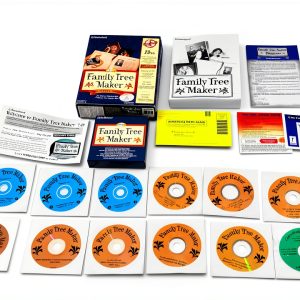
![[Product front view showing all components]](https://www.bolvora.store/wp-content/uploads/2026/07/f4b8ebff086e4abc8d7e648fc58f6263.jpg)
Usage
Whether you are a hobbyist preserving family history, a small office managing shared drives, or an IT enthusiast experimenting with dual‑boot configurations, Aomei Partition Assistant Professional fits seamlessly into your workflow. The software excels in scenarios where data safety is paramount, such as migrating legacy photo archives, consolidating fragmented storage, or preparing a system for a new operating system installation. Its one‑click activation process eliminates the typical delays associated with software licensing, allowing you to start partitioning immediately after purchase. Users can employ the tool to allocate dedicated partitions for genealogy databases, ensuring that sensitive records remain isolated from other system files. Additionally, the program offers a bootable media creator, enabling offline partition management for servers or machines that cannot run the application directly.
Why Choose Us
Choosing Aomei means selecting a partner that prioritizes reliability, customer support, and continuous improvement. The company behind the software has a long history of delivering high‑quality utilities that are regularly updated to address emerging storage technologies and security standards. Each activation key is generated with advanced encryption, guaranteeing that your license cannot be duplicated or misused. Our support team is available around the clock to assist with activation issues, troubleshooting, and best‑practice guidance for complex partitioning tasks. Moreover, the software undergoes rigorous testing on a variety of hardware configurations, from legacy machines to the latest SSDs, ensuring consistent performance across the board. By investing in this product, you gain access to a suite of features that are typically reserved for enterprise‑level solutions, all at a price point that is accessible to individual users and small families.
Key Features
- One‑time universal activation key works on any computer or laptop worldwide
- Intuitive interface that guides users through resizing, merging, splitting, and formatting partitions safely
- Supports multiple file systems and both Windows and Linux platforms for versatile use cases
- Bootable media creator enables offline partition management for servers and non‑bootable systems
- 24/7 dedicated customer support ensures quick resolution of activation and technical queries
FAQ
Can the activation key be used on multiple devices?
No. The key is designed for a single device activation only. This ensures compliance with licensing terms and provides the best performance and support for the activated system.
Is the software compatible with Windows 11?
Yes. Aomei Partition Assistant Professional is fully compatible with Windows 10 and Windows 11, as well as earlier versions such as Windows 7 and 8. It also supports the latest storage technologies, including NVMe SSDs.
Do I need an internet connection after activation?
After the initial activation, the software can operate offline. However, an internet connection is recommended for receiving updates, accessing the knowledge base, and contacting support if needed.
How does the software protect my data during partition operations?
The program uses a combination of real‑time monitoring and built‑in safety checks to prevent data loss. It creates temporary backups of critical information before making changes, and it offers a rollback option if an operation does not complete as expected.
What kind of customer support is provided?
Customers receive 24/7 email and live‑chat support, as well as access to a comprehensive online knowledge base, video tutorials, and step‑by‑step guides. Our support team can help with activation, troubleshooting, and advanced partitioning techniques.




Reviews
There are no reviews yet.