


Description
Product Overview
Acronis Disk Director 12.5 is a full‑featured disk management suite that combines the power of professional partition tools with the simplicity of a consumer‑friendly interface. Designed for Windows 10, 11, and earlier supported versions, the software allows users to create, delete, format, resize, merge, split, and clone partitions with a single click. Each operation is protected by Acronis’ proprietary safety engine, which performs a real‑time integrity check and automatically generates a temporary backup snapshot before any changes are written to the disk. This dual‑layer protection ensures that even in the event of an unexpected power loss or system crash, the original data can be restored without loss.
The product is delivered as a downloadable installer paired with a one‑time activation key that is valid for any country. The key unlocks the full feature set for one device—whether a desktop workstation, a high‑performance laptop, or a compact all‑in‑one PC. Because the activation does not require periodic online verification, the software remains functional in offline environments, making it suitable for secure facilities, remote locations, or legacy systems that are not connected to the internet.
Beyond basic partitioning, Disk Director 12.5 integrates Acronis’ industry‑leading backup technology. Users can schedule incremental or full backups, choose between local storage, external drives, or network shares, and enable AES‑256 encryption to keep sensitive information safe. The recovery module supports bare‑metal restores, allowing an entire system to be rebuilt from a backup image on new hardware, which is especially valuable during hardware upgrades or disaster recovery scenarios.
Performance‑focused optimizations ensure that operations such as cloning a 1 TB SSD to a newer NVMe drive complete in a fraction of the time compared with traditional cloning utilities. The software intelligently detects the underlying storage controller, leverages multi‑threaded processing, and minimizes I/O bottlenecks, delivering faster results while maintaining data integrity.
Security compliance is a core consideration; Disk Director 12.5 adheres to GDPR and ISO‑27001 best practices by providing encrypted backup storage, detailed audit logs, and role‑based access controls. Enterprises can generate reports that demonstrate data handling procedures, simplifying audits and regulatory reviews.
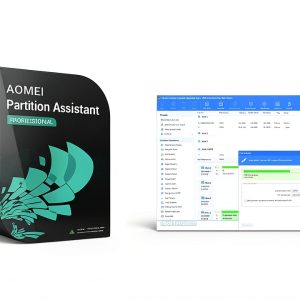
![[Product front view showing all components]](https://www.bolvora.store/wp-content/uploads/2026/07/c08b79d55ed347ebaafb8704d105214b.jpg)
Usage
For home users, Acronis Disk Director 12.5 solves common challenges like reallocating space after installing a large game library, moving media files to a secondary drive, or preparing a fresh installation of Windows on a newly purchased SSD. The wizard‑driven workflow walks users through each step, presenting clear explanations of the impact of each action, and offering a preview of the resulting disk layout before any changes are applied. This visual feedback reduces the learning curve for users who may be unfamiliar with partition tables or sector alignment.
Small businesses benefit from the ability to standardize workstation configurations across the office. An IT administrator can clone a master image that includes the operating system, essential applications, and security settings, then deploy the image to multiple machines using the built‑in cloning feature. Because the activation key is tied to a single device, each cloned workstation requires its own license, ensuring compliance with software licensing policies while still providing a streamlined deployment process.
Professional technicians often encounter situations where a client’s laptop needs a quick upgrade from a traditional HDD to a high‑speed SSD. With Disk Director 12.5, the technician can clone the existing drive, resize partitions to fit the new form factor, and verify the integrity of the migration—all within a single session. The one‑time activation eliminates the need for repeated license checks, allowing the technician to focus on service delivery rather than software procurement.
In environments with strict security requirements, such as government agencies or financial institutions, the offline activation capability is a decisive advantage. The software can be installed on air‑gapped machines, and the activation key can be entered manually without any internet connection, guaranteeing that no external communication occurs during the licensing process.
Educational institutions that maintain computer labs can use Disk Director 12.5 to partition drives for separate student and faculty environments, enforce quota limits, and protect academic data with encrypted backups. The flexibility of the tool adapts to a wide range of use cases, from simple home upgrades to complex enterprise‑level deployments.
For remote teams, the software can be deployed via a portable USB installer, allowing technicians to activate and run the program on client machines without needing a permanent internet connection. This flexibility supports field service scenarios where bandwidth is limited or unavailable.
Why Choose Us
Acronis is a globally recognized brand with a track record of delivering reliable data protection solutions to millions of users worldwide. The company’s commitment to research and development means that Disk Director 12.5 incorporates the latest advancements in storage technology, including support for GPT partition tables, UEFI boot modes, and the newest NVMe standards. This future‑proof design ensures that the software remains compatible with emerging hardware trends for years to come.
Our global activation key eliminates regional licensing barriers, allowing customers to purchase once and activate instantly regardless of their location. This simplifies procurement for multinational organizations and reduces administrative overhead associated with managing multiple regional licenses.
Customer support is available around the clock through multiple channels. Whether you prefer live chat, email correspondence, or a direct phone line, our trained specialists can assist with activation issues, troubleshooting, and best‑practice guidance. In addition, the Acronis Knowledge Base offers a searchable library of articles, video tutorials, and step‑by‑step guides that cover every feature of Disk Director 12.5.
Security is baked into every aspect of the product. All backup files can be encrypted with AES‑256, and the software supports password‑protected recovery, ensuring that only authorized personnel can access sensitive data. The built‑in validation engine checks for bad sectors, file system inconsistencies, and hardware compatibility before any operation begins, providing an extra layer of protection against accidental data loss.
Finally, Acronis provides regular updates that are delivered automatically through the software’s update manager. These updates include performance improvements, bug fixes, and new feature additions, guaranteeing that your installation stays current without the need for manual downloads or re‑installation.
Acronis is committed to environmental responsibility. Our software distribution is fully digital, reducing packaging waste, and the development process follows energy‑efficient coding standards. By choosing Disk Director 12.5, you contribute to a greener IT ecosystem.
Key Features
- One‑time global activation key works on any computer or laptop worldwide, eliminating recurring license checks.
- Intuitive wizard guides you through partition creation, resizing, merging, and splitting without risking data loss.
- Integrated backup and recovery lets you protect files or entire systems with encrypted, scheduled snapshots and bare‑metal restores.
- Full support for modern storage technologies, including SSD, NVMe, GPT, and UEFI‑based systems, ensuring optimal performance.
- 24/7 customer support, comprehensive knowledge base, and automatic updates provide continuous assistance and product freshness.
FAQ
Can I use the activation key on more than one device?
The key is licensed for a single device only. If you need to activate the software on additional computers, a separate license must be purchased for each device.
Does the software work on macOS?
Acronis Disk Director 12.5 is built for Windows operating systems only. For macOS users, Acronis offers separate products such as Acronis True Image for Mac that provide comparable disk management and backup capabilities.
What happens if the activation process fails?
In the unlikely event of a failed activation, you can contact our support team with your purchase details, and we will provide a new key or troubleshoot the issue at no additional cost.
Is my data safe during partition changes?
Yes. The software performs a pre‑operation scan and automatically creates a temporary backup snapshot. If any unexpected issue occurs, you can roll back to the original state with a single click.
How often are updates released?
Updates are released quarterly and include performance enhancements, compatibility updates for new hardware, and security patches. The update manager notifies you when a new version is available and installs it with a single action.



Reviews
There are no reviews yet.