
Description
Product Overview
Ableton Live Lite 11 is a compact yet powerful digital audio workstation designed for creators who need a fast, reliable platform for music production. Built on the same engine that powers Ableton’s full‑featured suite, Live Lite offers a curated set of recording, editing, and mixing tools that cover the essential workflow from idea to finished track. The software is delivered with a single activation key that can be applied to any computer or laptop, regardless of operating system, providing global compatibility and eliminating the need for multiple licenses. Users receive a clean, intuitive interface that highlights clip‑based sequencing, real‑time effects, and a library of loops and samples, all optimized for low‑latency performance. The package includes a 30‑day trial of additional Ableton content, allowing users to explore expanded sound packs before committing to a full purchase.
Beyond the core features, Live Lite 11 supports a wide range of audio interfaces and MIDI controllers, ensuring seamless integration with existing studio gear. The activation process is straightforward: after purchase, a unique alphanumeric key is emailed to the buyer, who can enter it directly within the application to unlock the full feature set. This one‑time activation model means the software remains fully functional even when offline, a valuable benefit for musicians who work in environments with limited internet access. The interface is designed for both touch and mouse input, offering customizable panels that adapt to the user’s workflow, whether they are composing electronic beats, recording live instruments, or arranging complex multi‑track projects.
![[Product front view showing all components]](https://www.bolvora.store/wp-content/uploads/2026/07/a7eefdde673946b291468450b5f78564.jpg)
Usage
Live Lite 11 fits naturally into a variety of creative environments, from home studios and dorm rooms to on‑the‑go laptop setups for DJs and producers who travel. Its lightweight installation footprint means it can be launched in seconds, letting musicians capture inspiration wherever it strikes. The key‑based activation removes the hassle of online verification each time the software is moved, making it ideal for educators who need to install the program on multiple classroom computers without exceeding license limits. Whether you are composing electronic beats, recording acoustic instruments, or remixing existing tracks, the clip‑based workflow encourages experimentation and rapid iteration, while the built‑in metering and export options ensure professional‑grade results ready for streaming platforms.
In live performance settings, the low‑latency engine and real‑time clip launching enable DJs and electronic artists to trigger loops, samples, and effects on stage with minimal delay. Music teachers can use Live Lite to demonstrate production techniques in real time, allowing students to see the immediate impact of parameter changes. The software also integrates smoothly with popular DAW controllers, providing tactile control over transport, volume, and effect parameters, which enhances both studio precision and stage presence. Because the activation key works on any device, students can install the program on personal laptops at home and continue their coursework without needing additional licenses.
Why Choose Us
Choosing Ableton Live Lite 11 means selecting a product backed by a brand renowned for innovation and reliability in the music technology industry. The single‑device activation model guarantees that you receive a fully functional license without hidden fees or recurring subscriptions, providing clear value for budget‑conscious creators. Ableton’s customer support network offers responsive assistance, detailed knowledge‑base articles, and community forums where users share tips and templates. The software is regularly updated to maintain compatibility with the latest operating systems and hardware drivers, ensuring long‑term stability. Additionally, the included library of royalty‑free loops and samples is curated by professional musicians, giving you high‑quality content to jump‑start projects. With Live Lite, you gain a trusted foundation that scales as your skills grow.
Beyond the immediate features, Ableton invests in continuous development, releasing free updates that improve performance, add minor enhancements, and address security concerns. This commitment means that a purchase today remains relevant for years, protecting your investment. The community aspect cannot be overstated: thousands of users worldwide contribute tutorials, preset packs, and remix contests, creating a vibrant ecosystem that fuels creativity. When you encounter a technical question, Ableton’s support staff can provide personalized guidance, and the extensive online documentation walks you through every function, from basic beat making to advanced automation. This combination of product quality, ongoing support, and community engagement makes Live Lite a dependable choice for both newcomers and seasoned producers.
Key Features
- Single‑device activation key that works on any PC or Mac, eliminating the need for multiple licenses and simplifying setup.
- Clip‑based arrangement view lets you launch loops, samples, and recordings instantly, fostering a non‑linear creative process.
- Built‑in collection of 1,000+ royalty‑free loops and samples across genres, providing ready‑to‑use material for any style.
- Low‑latency audio engine ensures tight timing for live performance and recording, reducing delay and improving responsiveness.
- Access to Ableton’s online support, tutorials, and community forums, guaranteeing help and resources long after purchase.
FAQ
Can I transfer the activation key to another computer?
Yes. The activation key supplied with Live Lite 11 is not tied to a specific hardware ID, which means you can deactivate the software on one machine and reactivate it on another. To transfer, simply open the application on the original computer, navigate to the license management section, and choose the option to deactivate. After deactivation, launch Live Lite on the new computer, enter the same alphanumeric key, and the software will validate the license online. This process can be repeated as needed, allowing you to move the program between a desktop workstation, a laptop for travel, or a classroom computer without purchasing additional licenses. Keep the key stored securely, as it is the only credential required for re‑activation.
What are the system requirements for Ableton Live Lite 11?
Live Lite 11 runs on both Windows and macOS platforms. Minimum requirements include a 64‑bit operating system (Windows 10 or later, macOS 10.13 or later), a dual‑core processor, 4 GB of RAM (8 GB recommended for larger projects), and at least 2 GB of free disk space for installation. The software supports ASIO drivers on Windows and Core Audio on macOS for low‑latency audio performance. For optimal results, a USB‑connected audio interface with a minimum sample rate of 44.1 kHz is recommended, though the built‑in sound card can be used for basic recording and playback. Compatible MIDI controllers, such as Ableton Push or any standard 5‑pin MIDI device, can be connected to enhance workflow, and the program works with most major VST and AU plug‑ins that meet the host’s architecture.
Is there a way to expand the library of sounds beyond the included loops?
Absolutely. While Live Lite 11 ships with a sizable collection of royalty‑free loops and samples, users can import additional audio files in WAV, AIFF, or MP3 formats directly into the browser. The software also supports Ableton’s Pack system, allowing you to purchase or download free content packs from the Ableton website. These packs range from genre‑specific drum kits to expansive orchestral libraries, and they integrate seamlessly into the Live Lite workflow. Moreover, third‑party sample libraries can be added by dragging folders into the user library, where they become searchable and can be used in any project. The flexible import system ensures that as your musical tastes evolve, your sound palette can grow without limitation.
How does Live Lite differ from the full Ableton Live version?
Live Lite is a streamlined version of Ableton’s flagship DAW, focusing on the core features that enable music creation, arrangement, and basic mixing. Compared to the full version, Live Lite offers a reduced number of audio and MIDI tracks, a smaller selection of built‑in effects, and limited automation lanes. However, the essential workflow—clip‑based sequencing, real‑time warping, and session view—remains identical, providing a consistent learning path for users who later upgrade. The full version includes advanced features such as Max for Live, extensive routing options, higher track counts, and a broader suite of instruments and effects. For beginners, hobbyists, or anyone on a tight budget, Live Lite delivers a complete production experience without the complexity and cost of the full application.
In summary, Ableton Live Lite 11 combines a powerful, industry‑standard engine with a single‑activation model that removes licensing headaches, making it an ideal entry point for creators at any stage. Its intuitive design, extensive loop library, and low‑latency performance empower users to produce professional‑quality tracks quickly, whether in a bedroom studio, a classroom, or on stage. The product’s global compatibility, ongoing updates, and robust community support ensure that the investment remains valuable over time. By choosing Live Lite, you gain access to a trusted platform that grows with your skills, offering a seamless path to more advanced Ableton solutions as your musical ambitions expand.



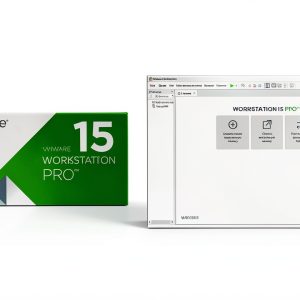 VMware Workstation Pro 15 Software License Key 1 Device Activation
Reviews
There are no reviews yet.