

Description
Product Overview
Hallmark Scrapbook Studio 3.0 is a comprehensive digital scrapbooking solution designed for families, hobbyists, and genealogy enthusiasts who want to transform photos and memories into beautifully crafted albums. The software ships in a compact 9.6 × 8 × 2 inch package weighing just 12 ounces, making it easy to install on any modern Windows PC. Developed by Nova Development US, the program has been available since October 2005 and continues to receive updates that expand its creative library.
At its core, the application provides access to more than 1,200 Hallmark‑branded templates, each thoughtfully organized by theme, occasion, and layout style. Users can also tap into a collection of over 7,000 premium clip‑art images, ranging from classic floral motifs to modern abstract designs. The integrated digital photo editor allows for quick adjustments—cropping, color correction, and background removal—so that every picture fits perfectly within the chosen template.
Technical specifications include compatibility with Windows 10 and later, a minimum of 2 GB RAM, and a 500 MB free disk space requirement. The software runs smoothly on both desktop and laptop configurations, delivering responsive drag‑and‑drop functionality that feels natural even for first‑time users. Hallmark’s exclusive fonts are embedded directly within the program, ensuring that text elements retain their intended style without the need for additional installations.
![[Product front view showing all components]](https://www.bolvora.store/wp-content/uploads/2026/07/741e1dc12b84440b8f7676a451b39c5f.jpg)
Usage
Hallmark Scrapbook Studio 3.0 shines in a variety of real‑world scenarios. Parents can create holiday photo books that capture the magic of family traditions, while grandparents can compile multi‑generational genealogy albums that preserve stories for future descendants. The software’s intuitive interface makes it suitable for classroom projects, allowing teachers to guide students through the process of documenting field trips or historical research.
Because the program is fully digital, users can work from any location with a computer and internet connection. Whether you are at home, in a coffee shop, or traveling with a laptop, the software’s lightweight design ensures that you can continue crafting without interruption. The built‑in cloud‑ready export options let you share finished albums directly to social media platforms, email, or printable PDF formats for high‑quality physical copies.</n
For hobbyists who enjoy themed scrapbooking—such as wedding celebrations, baby milestones, or travel journals—the extensive template library provides a ready‑made foundation that can be customized with personal photos, captions, and decorative elements. The drag‑and‑drop workflow reduces the learning curve, enabling users to focus on creative expression rather than technical details.
Why Choose Us
Choosing Hallmark Scrapbook Studio 3.0 means selecting a product backed by decades of brand heritage and a reputation for quality. Hallmark’s name is synonymous with heartfelt storytelling, and this software extends that legacy into the digital realm. The program’s extensive asset library—over 7,000 clip‑art images and hundreds of embellishments—offers a level of variety that few competitors can match.
Quality assurance is built into every release. Each template undergoes rigorous design review to ensure visual harmony, print‑ready resolution, and compatibility with the latest operating systems. Customer support is available through a dedicated help center, offering step‑by‑step tutorials, video guides, and responsive email assistance for any technical questions.
Unlike many subscription‑based alternatives, Hallmark Scrapbook Studio 3.0 is offered as a one‑time purchase, granting lifetime access to all current and future updates without recurring fees. This model provides cost certainty for families and hobbyists who prefer a straightforward budgeting approach.
Furthermore, the software integrates seamlessly with popular photo‑management tools, allowing you to import images directly from cloud services or external drives. The result is a streamlined workflow that saves time and reduces the need for third‑party applications.
Key Features
- Over 1,200 Hallmark‑branded templates let you start any project with a professional layout.
- 7,000+ premium clip‑art images and embellishments provide endless creative possibilities.
- Integrated digital photo editor simplifies cropping, color correction, and background removal.
- Drag‑and‑drop interface is intuitive for beginners yet powerful enough for advanced scrapbookers.
- Lifetime customer support includes tutorials, video guides, and direct email assistance.
FAQ
What operating systems are supported?
Hallmark Scrapbook Studio 3.0 runs on Windows 10 and later versions. It requires at least 2 GB of RAM and 500 MB of free disk space.
Can I import photos from cloud services?
Yes, the software supports direct import from popular cloud storage platforms such as OneDrive, Google Drive, and Dropbox, as well as local folders on your computer.
Is there a trial version available?
A 30‑day free trial is offered on the official Hallmark website, allowing you to explore all templates, clip‑art assets, and editing tools before purchasing.
How do I share my finished scrapbook?
Finished projects can be exported as high‑resolution PDFs for printing, or shared digitally via email, social media, or direct links to cloud‑hosted files.
Do I receive future updates?
All purchasers receive lifetime updates at no additional cost, ensuring compatibility with new operating system releases and access to any added template collections.
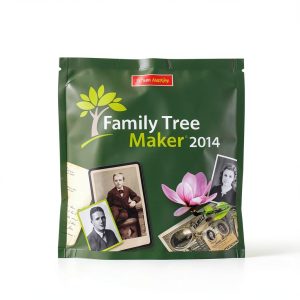

 Family Tree Maker 2011 Deluxe Software by Nova Development
Reviews
There are no reviews yet.